
Build the Camera Array
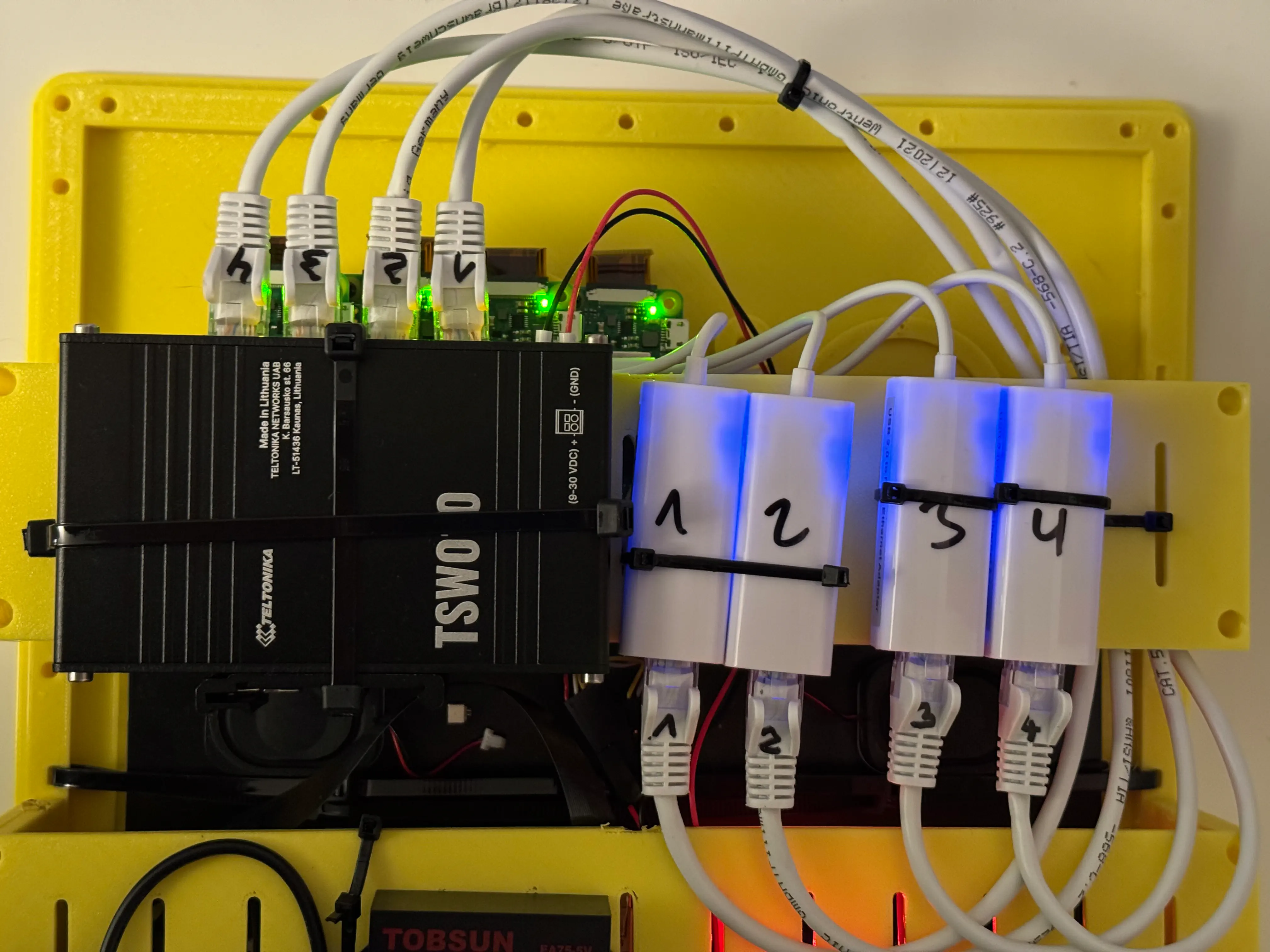
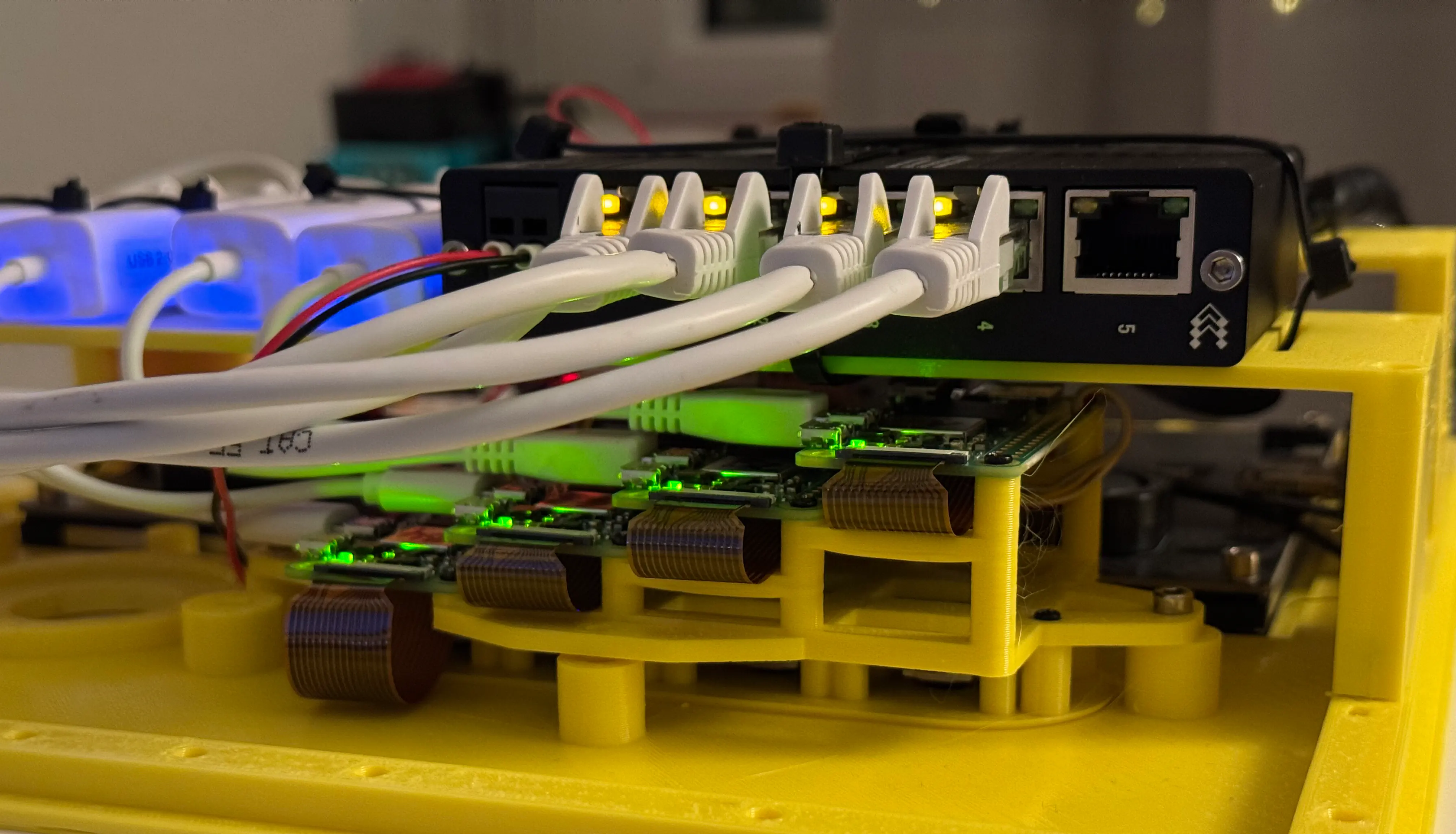
Prepare Components
To capture wigglegrams you need a camera array. There is a 3d printed reference design that would give you a starting point. Find the latest design files in the photobooth-app/photobooth-3d repository.
Bill of Materials (BOM)
Following items should cover most of the parts needed. You might need additional screws or other minor parts not mentioned here. We do not describe how to power the hardware as it is very specific to the custom setup usually.
INFO
The wigglecam is a new feature and subject to change. You can help to improve by providing feedback, suggest updates to the documentation or propose better network setups.
Per System
- 1x Network Switch with at least 5 ports
- 1x Ethernet cable
- 1x Rasbperry Pi 4/5 running the photobooth-app
Per Node
Depending on the number of cameras in your array, multiply the amount. The standard design uses 4 nodes.
- 1x Raspberry Pi Zero 2W
- 1x Raspberry Pi Camera Module 3 (other cameras should work also, but use original modules)
- 1x CSI cable ~15cm
- 1x Micro-USB Ethernet Adapter
- 1x Ethernet cable
Camera Array
- 1x 3d printed parts
Assembly
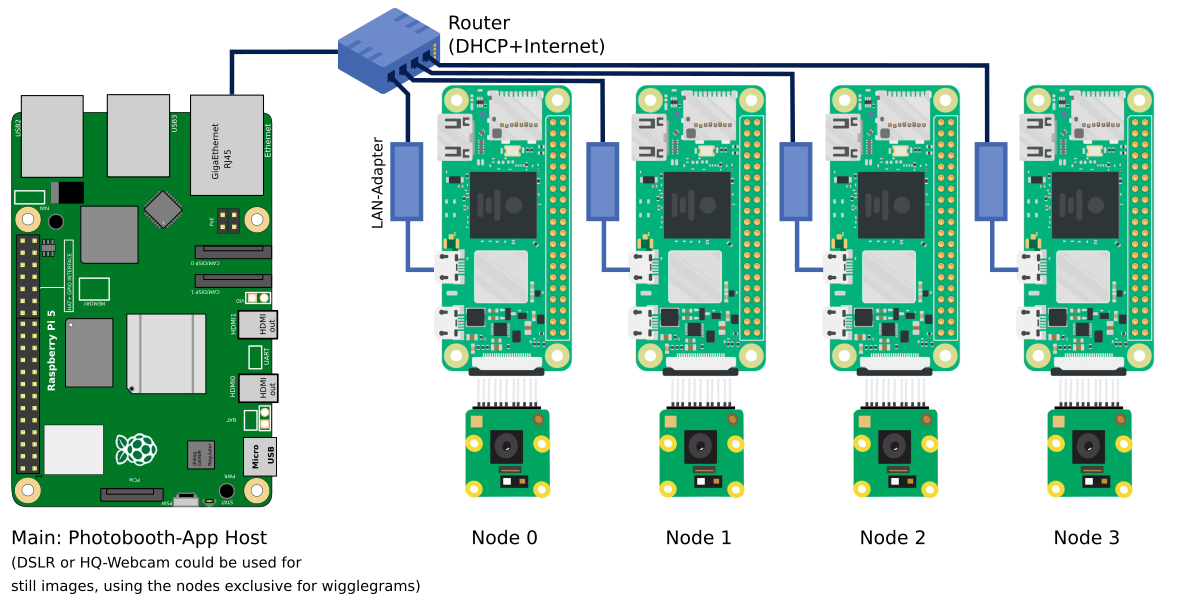
Network Setup
The nodes and the system with the photobooth-app need to be able to talk reliably with each other. WiFi works also, but it is not recommended in a final setup.
Please note, the nodes should be able to access the internet later so they can receive updated software. It is recommended to use a router in the photobooth during events. If the router also provides internet access you can use it to update the software when needed. If not, for update purposes, the router in the photobooth could be disconnected and instead the photobooth-network is connected to the home router with internet.
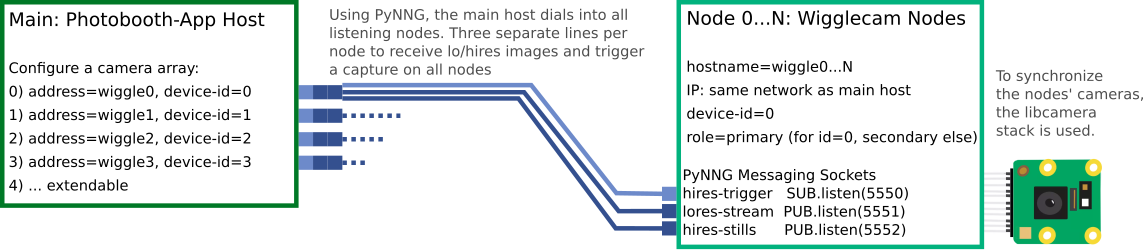
Setup with DHCP (using router as DHCP server, recommended)
TODO
Setup with DHCP (using the photobooth-app host as DHCP server)
TODO
Setup static IPs without router (not recommended)
TODO